Name tags for the whole class, ready to 3D print
A desk name that stands up, a backpack keychain, or a name puzzle for every student, and a sign for the classroom door. Paste your class list once, pick the colors, and print the whole class from one file, packed onto as few print beds as possible.
Pick what to make
 Standing Desk NameThick, chunky letters on a flat bottom that stand up on their own on a desk or shelf, with the name raised in a second color on the front. Prints lying down, with one filament change.A class of 25: 7 credits (about $9–12)
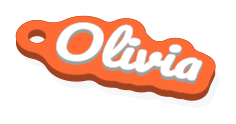 KeychainA name, a logo, or both, raised in a second color on a base cut to follow them, with a strong key ring loop. Small and quick to print, with one filament change.A class of 25: 7 credits (about $9–12)
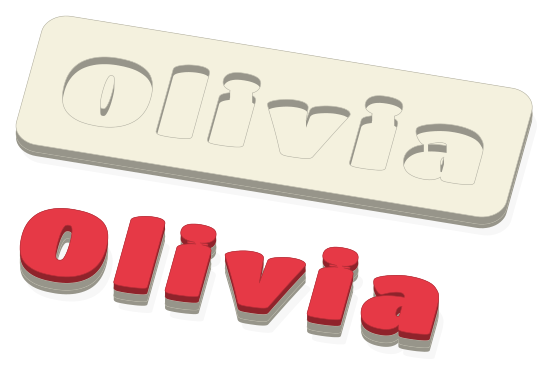 Name PuzzleA child's name as chunky letters that lift out of a tray and drop back into their own pockets: a favorite first-Christmas and birthday gift. Pick the biggest size your printer fits; not for children under 3. Prints with one filament change.A class of 25: 7 credits (about $9–12)
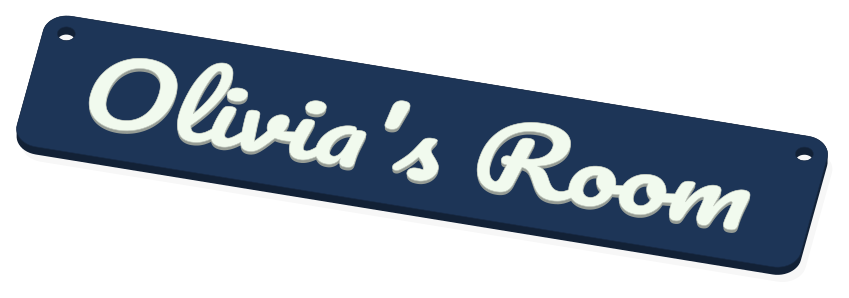 Door SignA name, with your logo if you like, on a rounded rectangle with two screw holes in the top corners for mounting on a door. Prints with one filament change.A class of 25: 7 credits (about $9–12)
How it works
- Pick a template and type the first student’s name. Choose a font, size, and colors.
- Paste the rest of your class list under Make a set, one name per line.
- Pick your printer: everything is sized to its bed and checked before you pay.
- Download one file for the whole class, open it in your slicer, and print plate by plate.
Common questions
- Can I make one for every student at once?
- Yes. Type the first name, then paste the rest of your class list under Make a set, one per line: up to 31 names in one file, all in the same font and colors.
- How much does a class of 25 cost?
- 7 credits (about $9–12) for 25 desk names: the first name is 1 credit, then every 4 more are 1 credit. Designing and previewing are free.
- Which one should I make?
- Desk names stand on each desk so you and visitors learn names fast. Keychains clip to backpacks and cubbies. Name puzzles are great for preschool and kindergarten, for learning to spell their name. A door sign welcomes everyone to your room.
- Do I need a multi-color printer?
- No. Every design prints in two colors with one filament change: a filament changer (AMS, MMU3, CFS) switches by itself, and without one you pause and swap once.
- Can I add our school logo or mascot?
- Yes, on every template: upload your logo (a simple, bold, one-color version prints best), or use a built-in star, heart, snowflake, or tree.