3MF · STL · Bambu, Prusa, Creality and more
Your name, ready to print in multi-color.
Pick a template, type a name, and download a file sized for your printer. Have an AMS or another filament changer? It switches colors for you. No changer? Pause and swap by hand.

Add your own logo
Upload an SVG, PNG, or JPG to print alongside the name.
No changer needed
AMS, MMU, or CFS if you have one; a pause if you don't.
Sized for your bed
Checked against your printer before you pay.
Your slicer settings
Model only, so your own profiles apply.
Pick a template
Every one is sized to your printer's bed and checked before you pay.
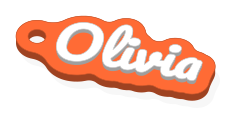
From a name to a print in three steps
- 01
Type it and style it
Choose a font, size, and colors. The 3D preview updates as you go, and it's free as often as you like.
- 02
Pick your printer
The size slider stops where your bed does. Save your printer with the filament you have loaded and the swatches match.
- 03
Download and print
Open the 3MF or STLs in your slicer, slice, and print. Step-by-step instructions come with every file.
Sized for your bed. Ready for your slicer.
Files carry the model and filament slots only, never printer settings, so the profiles you already trust do the slicing.
Slicers
- OrcaSlicer
- PrusaSlicer
- Anycubic Slicer Next
- Bambu Studio
- Creality Print
- Elegoo Slicer
- QIDI Studio
- Any slicer (STL)
- Anycubic
- Kobra 3
- Bambu Lab
- A1, A1 mini, H2D, H2S, P1P, P1S, P2S, X1 Carbon
- Creality
- Ender-3 V3 KE, Ender-3 V3 SE, K1 Max, K1C, K2 Plus
- Elegoo
- Neptune 4 Pro
- Prusa
- CORE One, CORE One L, MINI+, MK4S, XL
- Qidi
- Q1 Pro
- Voron
- 2.4 350
- Something else?
- Pick a generic bed size and download STLs.
Pay per download, not per month
Buy credits in packs. Each template shows its price in credits.
- Your first download is free: no credit card required
- Designing and previewing are always free
- Download what you've bought again, any time
- If a file fails to build, your credits come back
- 3 credits$5$1.67 a creditBuy 3 credits
- 10 credits$15$1.50 a creditBuy 10 credits
- Best value30 credits$39$1.30 a creditBuy 30 credits
Questions makers ask
- Do I need an AMS or another filament changer?
- No. A changer switches colors for you, but every template also prints without one: after slicing, add a pause where the instructions say and swap filament when the printer stops. Multi-color printing, step by step
- Which file should I download?
- The editor offers the formats your printer's slicer opens, best first: a Bambu 3MF for Bambu Studio and the slicers built on it, a Prusa 3MF for PrusaSlicer, or STL files for anything else. About the formats
- Can I add my own logo?
- Yes, on any template marked LOGO. Upload an SVG, PNG, GIF, or JPG; bold, one-color artwork prints best, and the preview shows exactly what will print.
- My printer isn't listed.
- Choose a generic bed size and download STL files that work in any slicer.